How to Build Business Processes and Systems From Scratch
A practical guide for entrepreneurs who want to turn a business from a collection of daily activities into a scalable operation.
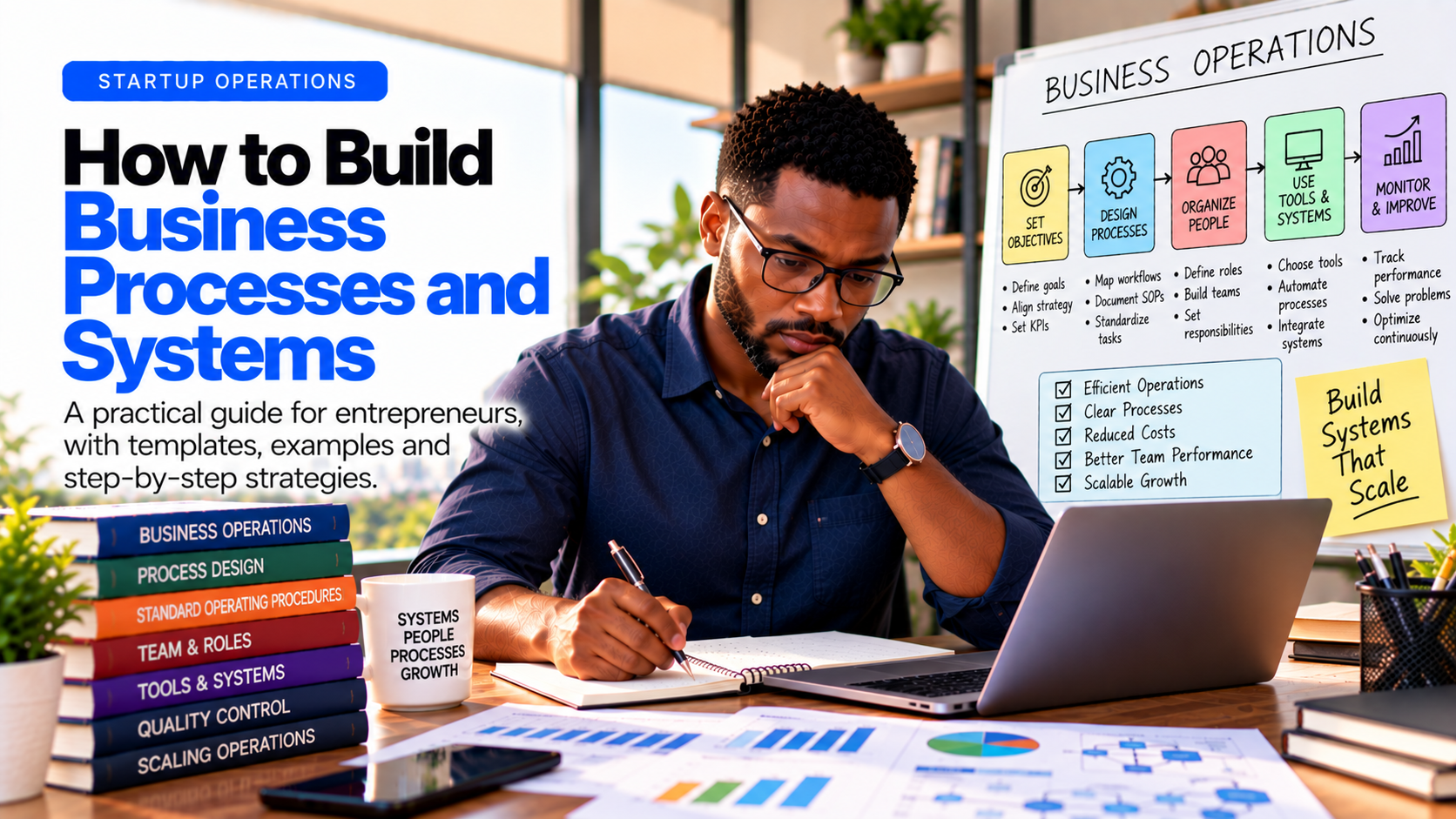
A business can survive on the founder's energy for a while.
It becomes much harder to grow when everything depends on the founder.
The owner approves every purchase. The owner answers every difficult customer. The owner knows how everything is done—but nobody else does. When an employee leaves, important knowledge leaves with them. When sales increase, mistakes increase too.
This is where business processes and systems become critical.
A well-designed business system makes work repeatable, measurable and easier to delegate. It allows people to perform important tasks consistently without requiring the founder to supervise every step.
This guide explains how to build business processes and systems from scratch—even if your business is still small.
What Is a Business Process?
A business process is a repeatable sequence of activities used to achieve a specific business outcome.
For example, a customer-order process might look like:
Customer inquiry → quotation → order confirmation → payment → production → quality check → delivery → follow-up
The process defines how the work gets done.
A process does not necessarily need sophisticated software. A small business can have effective processes using spreadsheets, forms, checklists, documents and simple communication tools.
What Is a Business System?
A business system is the combination of:
Processes
People
Responsibilities
Tools
Rules
Data
Performance measures
The system ensures that a process can operate consistently.
For example, a sales system might include:
Lead-generation channels
Lead capture form
Customer database
Sales script
Qualification criteria
Follow-up schedule
Quotation template
Sales targets
Conversion metrics
A process describes what happens.
A system creates the structure that allows it to happen consistently.
Why Business Processes Matter
Many entrepreneurs think processes are something only large companies need.
The opposite is often true.
Small businesses can benefit enormously from processes because they usually have fewer people, fewer resources and less room for mistakes.
- Processes reduce dependence on the founder
If only you know how something works, you have created a bottleneck.
Documenting the process allows someone else to perform the task.
- Processes improve consistency
Customers should receive a reasonably consistent experience regardless of which employee serves them.
- Processes make training easier
Instead of explaining the same task repeatedly, you can give a new employee a documented procedure and train them around it.
- Processes make mistakes visible
When work follows a defined sequence, it becomes easier to identify where something went wrong.
- Processes make scaling possible
Adding more customers, employees or locations becomes much easier when the underlying operation is structured.
- Processes create business value
A business that operates through documented systems is generally easier to manage, transfer, expand or potentially sell than one whose knowledge exists mainly in the founder's head.
Start With the Business, Not the Documents
One of the biggest mistakes entrepreneurs make is immediately creating dozens of Standard Operating Procedures (SOPs).
Don't start there.
Start by understanding how the business actually creates value.
Ask:
How does a customer move from discovering us to becoming a paying customer—and what happens afterward?
Then map the major activities involved.
For most businesses, these may include:
Marketing
Sales
Customer onboarding
Purchasing
Production or service delivery
Quality control
Inventory management
Delivery
Customer support
Finance
Human resources
Reporting
You don't need to document everything on day one.
Start with the processes that have the greatest impact on revenue, customers, cash, quality and risk.
Step 1: Map Your Core Business Processes
Create a simple list of the most important things your business repeatedly does.
For example, an online service business might have:
Marketing
Create content
Generate leads
Run advertising
Sales
Respond to inquiries
Qualify leads
Send proposals
Close deals
Delivery
Onboard customers
Deliver the service
Review work
Obtain approval
Finance
Issue invoices
Receive payments
Pay suppliers
Reconcile accounts
Customer Success
Handle complaints
Collect feedback
Follow up
Encourage repeat purchases
This becomes your process inventory.
Step 2: Identify Your Critical Processes
Not every process deserves the same attention.
Rank processes based on their potential impact.
A useful framework is:
Process Revenue Impact Customer Impact Risk Priority
Lead follow-up High High Medium Critical Order processing High High High Critical Social media posting Medium Medium Low Medium Office cleaning Low Low Low Low
Start with the critical processes.
A good rule is:
Document the processes where mistakes are expensive, frequent or difficult to reverse.
Step 3: Document the Current Process
Before improving a process, document how it currently works.
Don't design an imaginary perfect process.
Observe reality.
For example:
Current order process
Customer sends WhatsApp message.
Salesperson checks product availability.
Price is calculated manually.
Customer receives quotation.
Customer pays.
Payment is confirmed.
Warehouse receives instruction.
Products are picked.
Products are checked.
Delivery is arranged.
Now you can see where delays and errors occur.
Step 4: Remove Unnecessary Steps
Once you understand the current process, ask:
Is this step necessary?
Can two steps be combined?
Is information being entered twice?
Does someone need to approve this?
Can technology automate it?
Does this step create value?
Does it exist only because "we've always done it this way"?
This is where process improvement begins.
A process should not become complicated simply because you are documenting it.
The goal is simplicity and reliability.
Step 5: Assign Ownership
Every important process should have an owner.
Not necessarily the person who performs every task.
The process owner is responsible for ensuring that the process works.
For example:
Process Owner
Lead generation Marketing Manager Sales Sales Manager Purchasing Procurement Manager Production Operations Manager Customer complaints Customer Service Lead Financial reporting Finance Manager
This creates accountability.
Without ownership, processes often become everyone's responsibility—and therefore nobody's responsibility.
Step 6: Define Roles Clearly
For every process, determine:
Who performs the task?
Who approves it?
Who receives the information?
Who is ultimately accountable?
For example:
Purchasing process
Procurement Officer — obtains quotations
Operations Manager — confirms requirement
Finance — verifies budget
Managing Director — approves purchases above threshold
Procurement Officer — places order
Warehouse — receives goods
This prevents confusion.
Step 7: Create Standard Operating Procedures
Now turn important processes into SOPs.
A good SOP doesn't need to be complicated.
A simple structure is:
SOP: Customer Order Processing
Purpose: Ensure every customer order is processed accurately and delivered on time.
Responsible: Sales and Operations Team
Trigger: Customer confirms an order.
Steps:
Confirm product and quantity.
Verify current price.
Check inventory.
Confirm delivery location.
Issue invoice or payment instructions.
Confirm payment.
Create fulfillment instruction.
Pick and verify products.
Package order.
Dispatch.
Update order status.
Follow up with customer.
Required records:
Customer order
Payment confirmation
Delivery information
Order status
Performance target:
Orders processed within X hours.
Order accuracy above X%.
Customer complaints below X%.
The exact numbers should reflect your business.
Step 8: Build Checklists for Repetitive Work
Not everything needs a detailed SOP.
Some tasks are better managed with checklists.
For example:
Daily Production Checklist
[ ] Production area cleaned
[ ] Equipment inspected
[ ] Raw materials checked
[ ] Production quantity confirmed
[ ] Quality checks completed
[ ] Finished products counted
[ ] Packaging verified
[ ] Production records completed
[ ] Equipment cleaned
[ ] Production report submitted
Checklists are powerful because they reduce reliance on memory.
Step 9: Establish Approval Rules
Many small businesses become slow because every decision goes back to the founder.
Create decision limits.
For example:
Decision Employee Manager Founder
Routine purchase under $100 ✓ Purchase $100–$500 ✓ Purchase above $500 ✓ Customer discount up to 5% ✓ Discount above 5% ✓ Major supplier contract ✓
The actual limits should depend on the size and risk of your business.
The principle is more important:
Delegate decisions, not just tasks.
Step 10: Create Business Templates
Templates reduce repeated work and improve consistency.
Useful templates include:
Sales
Quotation
Proposal
Sales script
Follow-up message
Customer onboarding form
Operations
Purchase order
Inventory sheet
Production report
Quality-control checklist
Delivery note
Finance
Invoice
Expense request
Payment approval
Cash-flow report
Monthly financial report
Human Resources
Job description
Interview scorecard
Employee onboarding checklist
Performance review form
Leave request
Templates turn knowledge into reusable assets.
Step 11: Build a Simple Information System
Your employees should know where important information lives.
Avoid having critical business information scattered across:
Personal phones
Random WhatsApp chats
Individual notebooks
Private email accounts
Different spreadsheets with conflicting numbers
Create a basic business knowledge system.
It could contain:
Company
Policies
Organizational structure
Contact information
Operations
SOPs
Checklists
Production procedures
Sales
Customer information
Sales materials
Pricing
Proposals
Finance
Budgets
Reports
Payment records
Human Resources
Job descriptions
Training materials
Policies
The technology can evolve as the business grows.
The important thing is having a reliable source of truth.
Step 12: Introduce Performance Metrics
A process without measurement is difficult to improve.
For every critical process, identify a few meaningful metrics.
For sales:
Leads generated
Qualified leads
Conversion rate
Average deal value
Sales cycle
Customer acquisition cost
For operations:
Output
Defect rate
Production downtime
Waste
Cost per unit
On-time completion
For customer service:
Response time
Resolution time
Complaints
Customer satisfaction
Repeat purchase rate
Don't measure everything.
Measure what helps you make better decisions.
Step 13: Automate After You Understand the Process
Automation is valuable—but automating a bad process simply makes the bad process faster.
First:
Understand → simplify → standardize → measure → automate
For example, instead of immediately buying sophisticated software for customer management:
Understand how leads currently arrive.
Define the sales process.
Create qualification criteria.
Standardize follow-up.
Track conversion.
Then automate repetitive activities.
Automation should remove unnecessary manual work, not add technological complexity.
Step 14: Train People on the System
A documented process is useless if nobody follows it.
When onboarding an employee:
Explain
What the process is and why it matters.
Demonstrate
Show the employee how it works.
Practice
Allow them to perform the task.
Review
Check their work.
Certify
Once they can perform it correctly, allow them to work independently.
Training should also explain why the process exists.
People are more likely to follow procedures when they understand their purpose.
Step 15: Review and Improve
Your first version will not be perfect.
Business processes should evolve.
A useful improvement cycle is:
Do → Measure → Review → Improve → Repeat
Ask regularly:
What is slowing us down?
Where are mistakes occurring?
What do customers complain about?
Which tasks consume too much time?
Which approvals are unnecessary?
What can be automated?
What information is missing?
What should we stop doing?
Your processes should become simpler and stronger over time.
The Founder-to-System Transition
One of the most important transitions in entrepreneurship is moving from:
"I know how everything works."
to:
"The business knows how everything works."
This doesn't mean removing the founder.
It means changing the founder's role.
Instead of personally solving every operational problem, the founder increasingly focuses on:
Strategy
Capital allocation
Key relationships
Major decisions
Culture
Growth
Innovation
The team and systems handle more of the routine execution.
Common Process-Building Mistakes
- Documenting everything
You don't need 200 SOPs to run a small business.
Start with the processes that matter most.
- Making processes too complicated
If employees need a 20-page document to perform a five-minute task, something is wrong.
- Designing processes without observing reality
Your documented process should reflect what actually happens—or deliberately replace it with something better.
- Failing to assign ownership
A process without an owner is difficult to enforce.
- Creating rules nobody follows
If the system doesn't match reality, employees will eventually create their own system.
- Automating too early
Technology cannot fix unclear processes.
- Never updating SOPs
Outdated documentation can be worse than no documentation.
- Measuring too many things
A dashboard full of meaningless metrics doesn't create better management.
A Simple Business Systems Framework
If you're building your systems from scratch, use this sequence:
- Map
Identify the major activities in the business.
- Prioritize
Find the processes with the greatest impact.
- Document
Write down how the work should happen.
- Simplify
Remove unnecessary steps.
- Assign
Give every process an owner.
- Standardize
Create SOPs, checklists and templates.
- Measure
Define a small number of useful KPIs.
- Train
Teach employees how the system works.
- Automate
Use technology where it creates genuine efficiency.
- Improve
Review and refine continuously.
Your First 10 Business Processes
If your business has no formal systems yet, don't try to build everything at once.
Start with these:
Lead management
Sales and order processing
Customer onboarding
Product/service delivery
Quality control
Purchasing
Inventory management
Invoicing and payment collection
Customer complaints
Employee onboarding
Once these are working well, expand into other areas.
The 30-Day Business Systems Challenge
You can begin building your operating system in just one month.
Week 1 — Map
Identify all major business processes and select your 10 highest-priority processes.
Week 2 — Document
Document the current process for the top five.
Week 3 — Standardize
Create SOPs, checklists, templates and approval rules.
Week 4 — Implement
Train employees, introduce KPIs and begin improving the processes.
At the end of 30 days, you may not have a perfect operating system.
But you should have something much more valuable:
a business that is less dependent on memory, improvisation and the founder.
Business Systems Checklist
Before considering a process properly systemized, ask:
[ ] Is the desired outcome clear?
[ ] Is the process documented?
[ ] Is there a process owner?
[ ] Are responsibilities clear?
[ ] Are approval limits defined?
[ ] Are the necessary tools identified?
[ ] Are templates or checklists available?
[ ] Are employees trained?
[ ] Is performance measured?
[ ] Is there a review process?
[ ] Can unnecessary steps be removed?
[ ] Can repetitive work eventually be automated?
If several boxes remain unchecked, the process probably needs more work.
Final Thoughts
A business doesn't become scalable simply because it has more customers.
It becomes scalable when it can handle more customers without increasing complexity at the same rate.
That requires systems.
The goal isn't to turn your company into a bureaucracy filled with paperwork. The goal is to create a business where important work is:
clear, repeatable, measurable, teachable and improvable.
Start small.
Document the work that matters.
Build systems around your most important activities.
Then continuously improve them.
Because ultimately, a business should not depend entirely on the founder remembering how everything gets done.
Build Better Business Systems With LoDuko
Before building processes, you need to understand the business itself: its customers, operations, resources, financial model, market and growth strategy.
LoDuko helps entrepreneurs structure that thinking through a guided business interview and turn it into professional business documents.
You can use the same structured information to generate a Feasibility Report, Business Plan and Pitch Deck—without starting from scratch each time.
Plan. Validate. Launch. With confidence.
Explore LoDuko at loduko.com.